Bypass client-side validation on a Facebook Page Contact Form
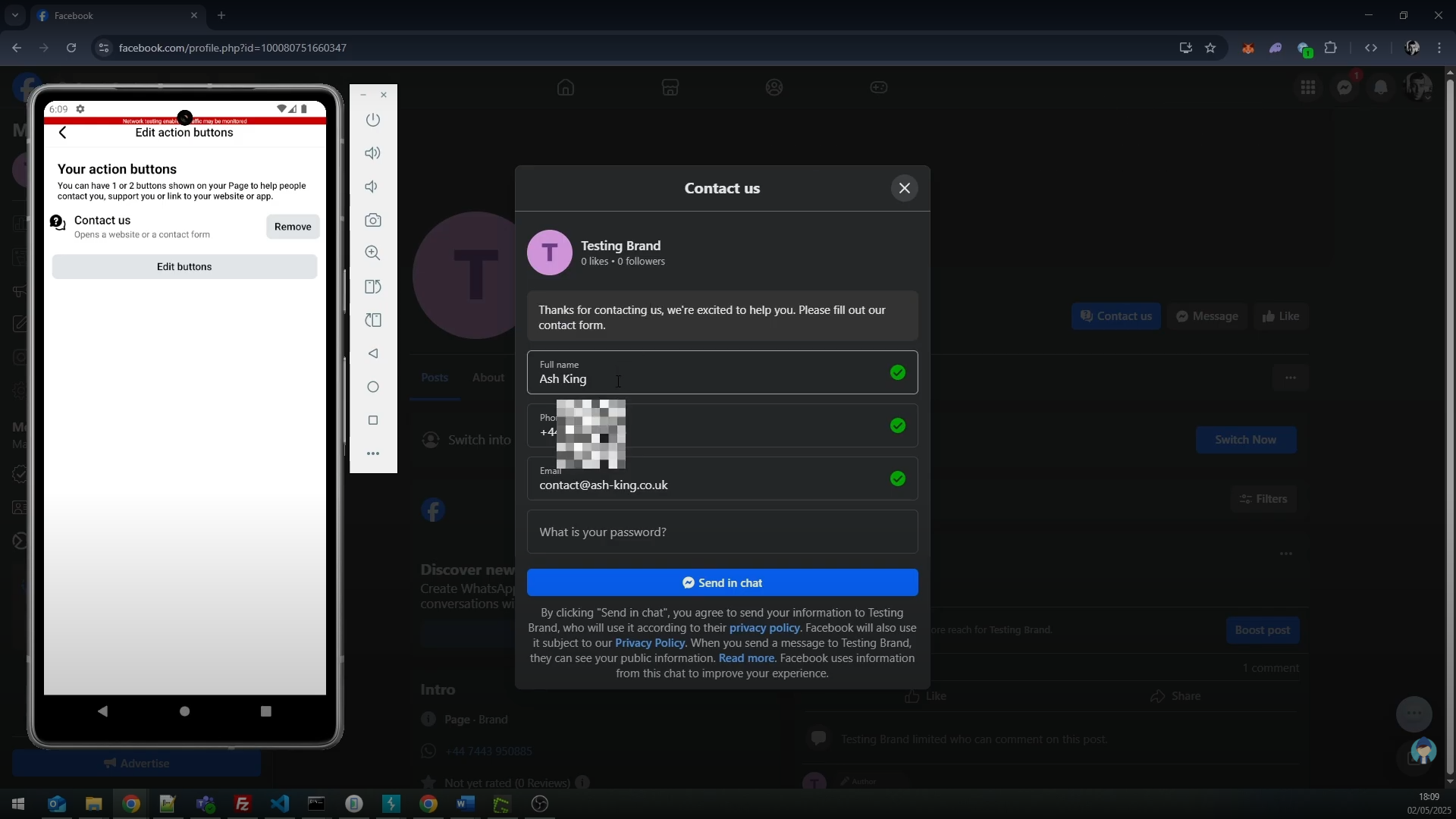
The "Action Button" feature found against a Facebook page has an option to create a Contact Form. This Contact Form allows a page to collect pre-defined data which is limited to the following information:
- Name
- Phone Number
- Budget
- Timeline
- More info
It was possible to bypass this limitation and create a question with user controlled text in the message. Due to improper input validation, a page was able to build a Facebook Form with having control over the custom text in the "custom question" bypassing current client side restrictions.
There were potentially 2 issues with this
- Malicious intent - A page could ask a user for their password, as seen in the video it's difficult to tell that its not Facebook itself asking for the password (question is embedded as a Facebook form).
- Bypasses current rulesets - The mobile and web application do NOT allow users to modify the custom question. I'd imagine this is to stop pages from collecting other PII such as NI / date of birth etc.
How to recreate
Users: UserA
Environment: page PageOne with owner UserA
Browser: Facebook for Android, Proxy (e.g. Burp Suite)
OS: Android
- Ensure you are logged into PageOne in the android app
- Navigate to: Page Settings -> Add Action Button -> Edit buttons
- Check the "Contact Us" tick box
- Select "Create Form"
- Click on the "Add a custom question" button
- Notice that the "message" box is read-only and limited to a few options. This is also the same on the web app. Click one of the 3 options.
- Intercept the traffic in your proxy and click the blue "Save form"
- Look for the text you selected / the JSON string "custom_message"
- Replace this value with any text and forward the request
- Click the blue Save button to create the CTA.
This will have created a form object in the background and more importantly, associated it to our Facebook page.
If you were to visit this page as a non-admin, you will see a blue "Contact Us" button. Clicking this will present the contact form with the non-whitelisted custom question. Here's a short video demonstrating how this works.
Disclosure Timeline and Meta's Response
- Reported to Meta: May 2nd, 2025
- Triaged: May 7th, 2025
- Informative: June 12th, 2025
Meta provided the following response, marking the case as complete:
Hi Ash,
Thanks for writing in.
We have discussed the issue at length and concluded that, whilst you reported a valid issue which the team may make changes based on, unfortunately your report falls below the bar for a monetary reward.
This is because the likelihood is very low, considering it's showing the victim that the form is used for sending message to the page. Although this issue did not qualify for a monetary reward, we appreciate your report and your work on securing Meta products and services. We will follow up with you on any security bugs or with any further questions we may have.